How to Use ChatGPT and Claude on Your Kindle (2026 Guide)
If you've ever tried opening ChatGPT or Claude on your Kindle, you know it doesn't work. The Kindle browser just can't handle those sites.
The good news: you can use GPT-5.4, Claude Opus 4.6, Claude Sonnet 4.6, and other models on your Kindle. No sideloading, no hacks, no jailbreaking.
Why ChatGPT and Claude Don't Work on Kindle
The Kindle's built-in browser ("Experimental Browser") can load simple websites, but ChatGPT, Claude, Gemini etc. are way too heavy for it. They won't load properly, buttons break, the interface freezes. These sites just weren't designed for e-readers.
The Solution: A Chat Interface Built for E-Readers
companion.ink is a chat interface designed to work within the limitations of e-reader browsers. Same AI models you'd use on ChatGPT or Claude, but through an interface that actually works on a Kindle.
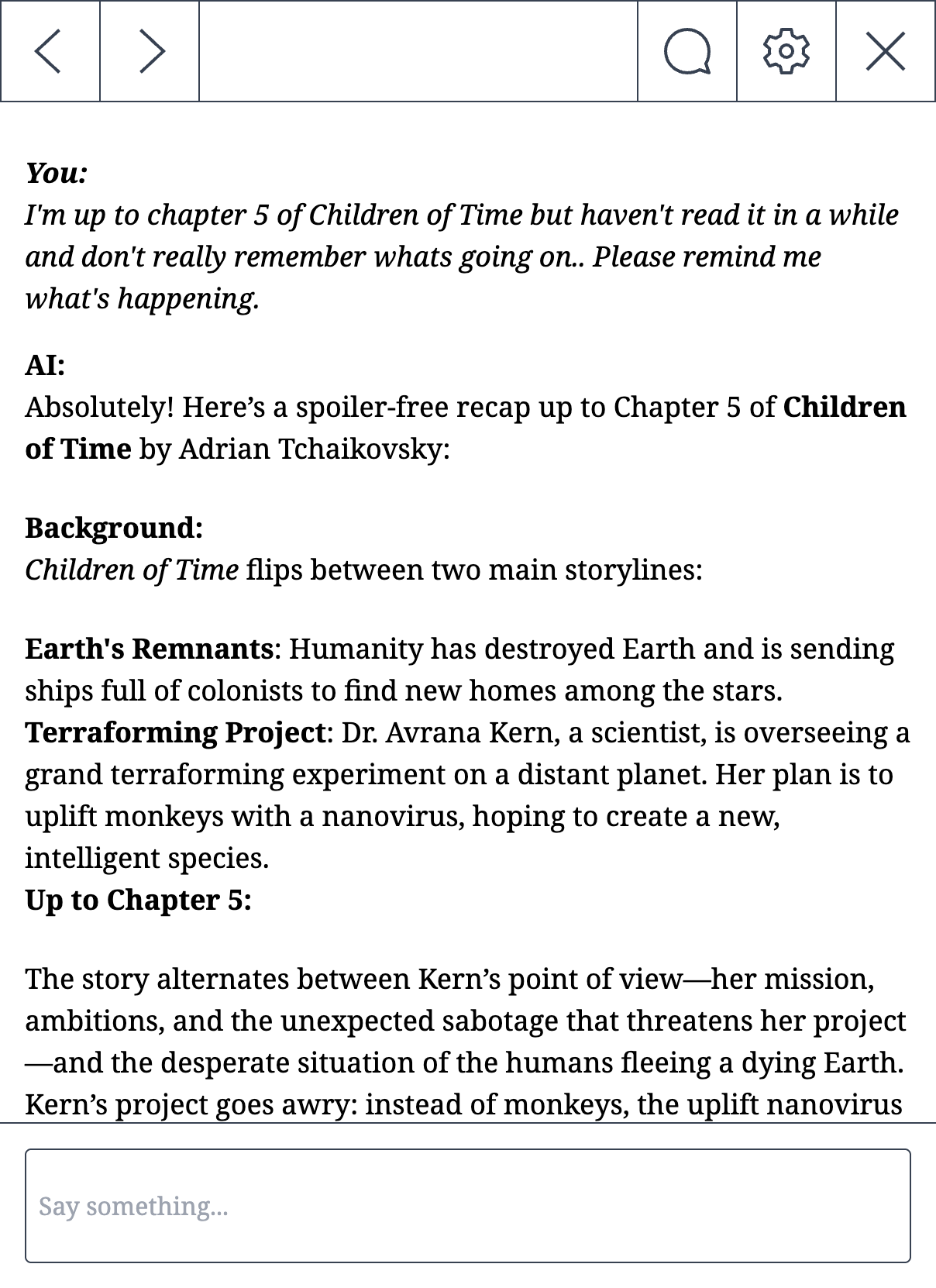
What makes it work:
- Lightweight. Built for what the Kindle browser can actually handle.
- Page-based navigation. Instead of scrolling (which e-ink handles terribly), responses are broken into pages you flip through. Like a book.
- E-ink friendly. High contrast, no animations, adjustable font sizes.
- Private. Your chats stay on your device. Nothing stored on our servers.
How to Set It Up (3 Minutes)
Step 1: Sign Up
Go to companion.ink on your phone or computer and sign up. It's $5/month, which includes $4 of AI API credits (enough for hundreds of messages).
Step 2: Get Your Link
You'll get a unique link after signing up. This is your personal chat URL. Bookmark it on your Kindle.
Step 3: Open It on Your Kindle
On your Kindle, open the Experimental Browser:
- From the home screen, tap the three dots menu (or "More" on older Kindles)
- Select Experimental Browser (or just Browser)
- Type your companion.ink link into the address bar
- Bookmark the page for quick access
Done. You can now chat with AI directly from your Kindle.
What You Can Do With AI on Your Kindle
Some things people use it for:
- Ask questions about what you're reading. Get explanations, context, or deeper analysis without putting your book down.
- Get chapter summaries. Just finished a dense chapter? Ask the AI to recap the key points.
- Jump back into a book. Haven't read in a while? Get a refresher on where you left off.
- Discuss what you just read. Talk through themes, debate the author's arguments, explore ideas.
- Build a personal wiki. Keep track of characters, places, and plot threads. Especially useful for Russian literature or epic fantasy with massive casts.
More ideas in our post on 10 ways to use AI on your Kindle.
Which AI Models Can You Use?
companion.ink supports all the latest models from OpenAI and Anthropic:
- GPT-5.4 (OpenAI's latest and most capable)
- Claude Opus 4.6 and Claude Sonnet 4.6 (Anthropic's latest)
- GPT-5, GPT-5 Mini, GPT-4o, GPT-4.1 and more
You can switch between models any time. For a breakdown of what each model is best at, see the full model comparison.
Does It Work on Other E-Readers?
companion.ink is designed to work on any e-reader with a browser, but support varies between devices. E-reader browsers are all a bit different so your mileage may vary.
Devices people have used it on:
- Kindle Paperwhite (all generations)
- Kindle Oasis
- Kindle Scribe
- Kobo devices
- BOOX devices
Best way to check: try the free demo on your device before subscribing. Just visit companion.ink in your e-reader's browser. No account needed.
Try It Free
You can test the interface for free by visiting companion.ink on your e-reader's browser. See how it works and whether your device is supported before paying anything.